
Accidental SOS: what to do after it was sent
Once the countdown ends, treat the SOS as potentially sent. My Safe Circle documents no recall or cancellation after sending: read the receipt, immediately give every recipient an unambiguous correction, and verify they understood it. An unconfirmed outcome does not mean nothing left the phone.
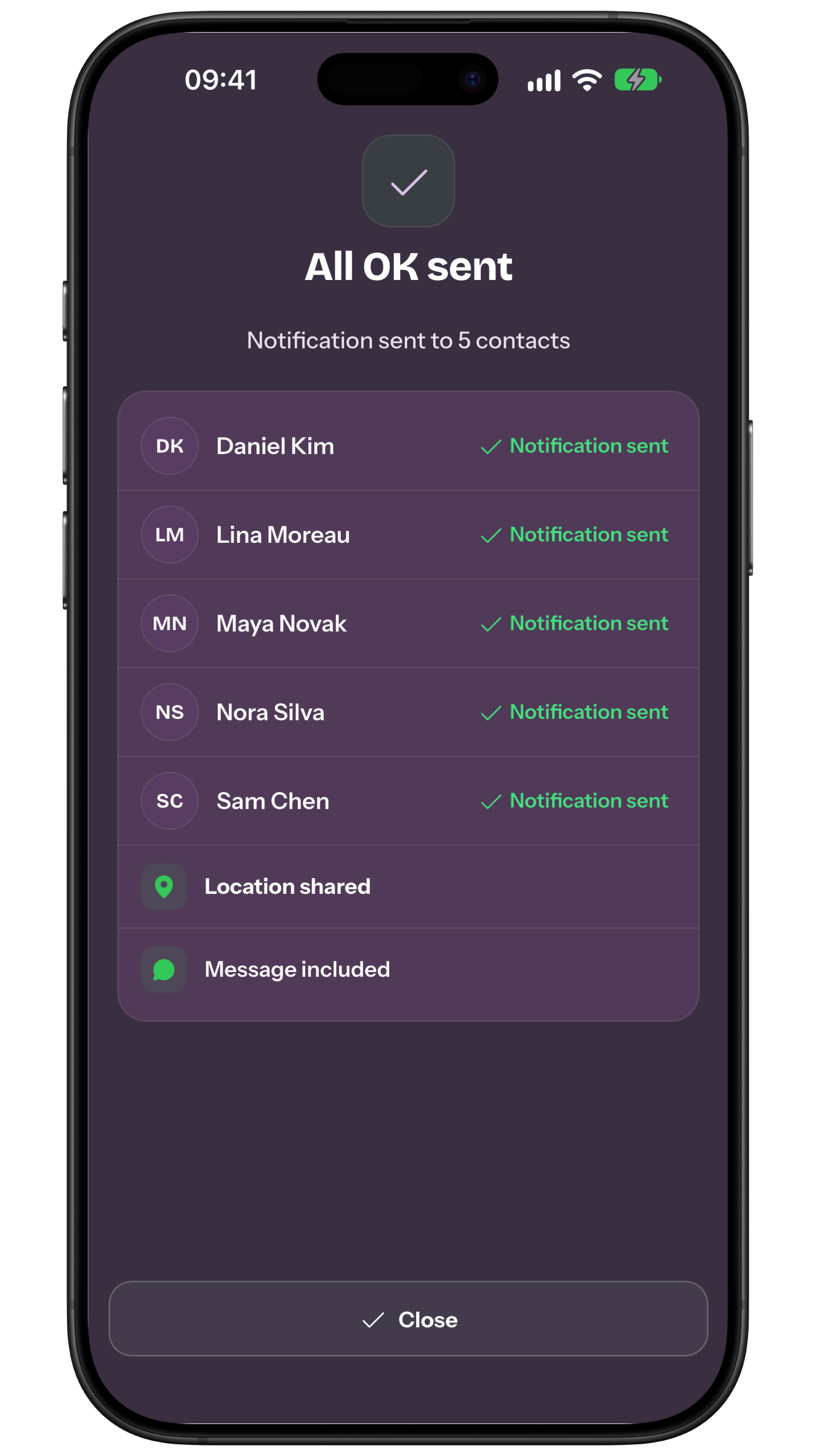
First: read the status
Do not force-close or uninstall the app to try to cancel. The command is saved after the countdown and may retry when the network returns. Check whether the receipt says sent, partial, failed or outcome unconfirmed.
First identify the SOS. A My Safe Circle SOS alerts the Circle but does not automatically call emergency services. If the phone already placed a native emergency call, Apple advises not hanging up: wait for the operator and explain that the call was accidental.
Use an explicit correction
Write: “FALSE ALARM: I sent SOS accidentally at [time]. I am safe. Please confirm you read this and do not activate our plan.” Do not rely on All OK or an emoji alone; they may not identify the SOS being corrected.
Reach every recipient
Use the quickest agreed channel first, then call anyone who does not acknowledge. The receipt list helps identify people involved, but technical status does not prove reading. Ask for an explicit reply.
If somebody has acted
Ask which actions have begun. If a contact called emergency services, reception or a neighbour, follow that organisation’s or person’s instructions to correct the report. Do not occupy emergency lines unnecessarily or promise a call can be cancelled.
If you were offline
Uncertainty still requires correction because the command may wait and retry. Do not use logout, shutdown or account deletion as a cancellation method. Alert contacts by any available channel and keep checking the receipt.
Only then prevent a repeat
Reconstruct the cause, recipients and time; then practise cancelling during the countdown and review widgets or phone placement. This guide covers after sending; the countdown guide covers prevention before it.
Frequently asked questions
Can I delete a sent SOS?
No recall is documented. Treat it as potentially received and correct it with every person.
Is sending All OK enough?
Add an explicit false-alarm message with the time, then obtain acknowledgement.
Does “outcome unconfirmed” mean it was not sent?
No. Delivery is not yet confirmed; that does not establish failure.
Sources consulted
Technical and safety information was checked against the following official sources.
Operational guide by the My Safe Circle team, checked on 13 September 2026 against the manual, the EU 112 page and official Apple guidance.
CORRECT IT NOW
Explore My Safe Circle
Explore the features and try the Demo before setting up your circle.
Explore My Safe CircleMy Safe Circle helps contact trusted people. It is not an emergency dispatch centre and cannot guarantee delivery, reading or intervention.