
Family check-ins between iPhone and Android phones
A family check-in works when everyone shares the meaning of the signal, not when everyone uses the same phone. iPhone and Android can differ in Home screens, notifications and battery controls. Agree a voluntary action, a time window and a human next step.
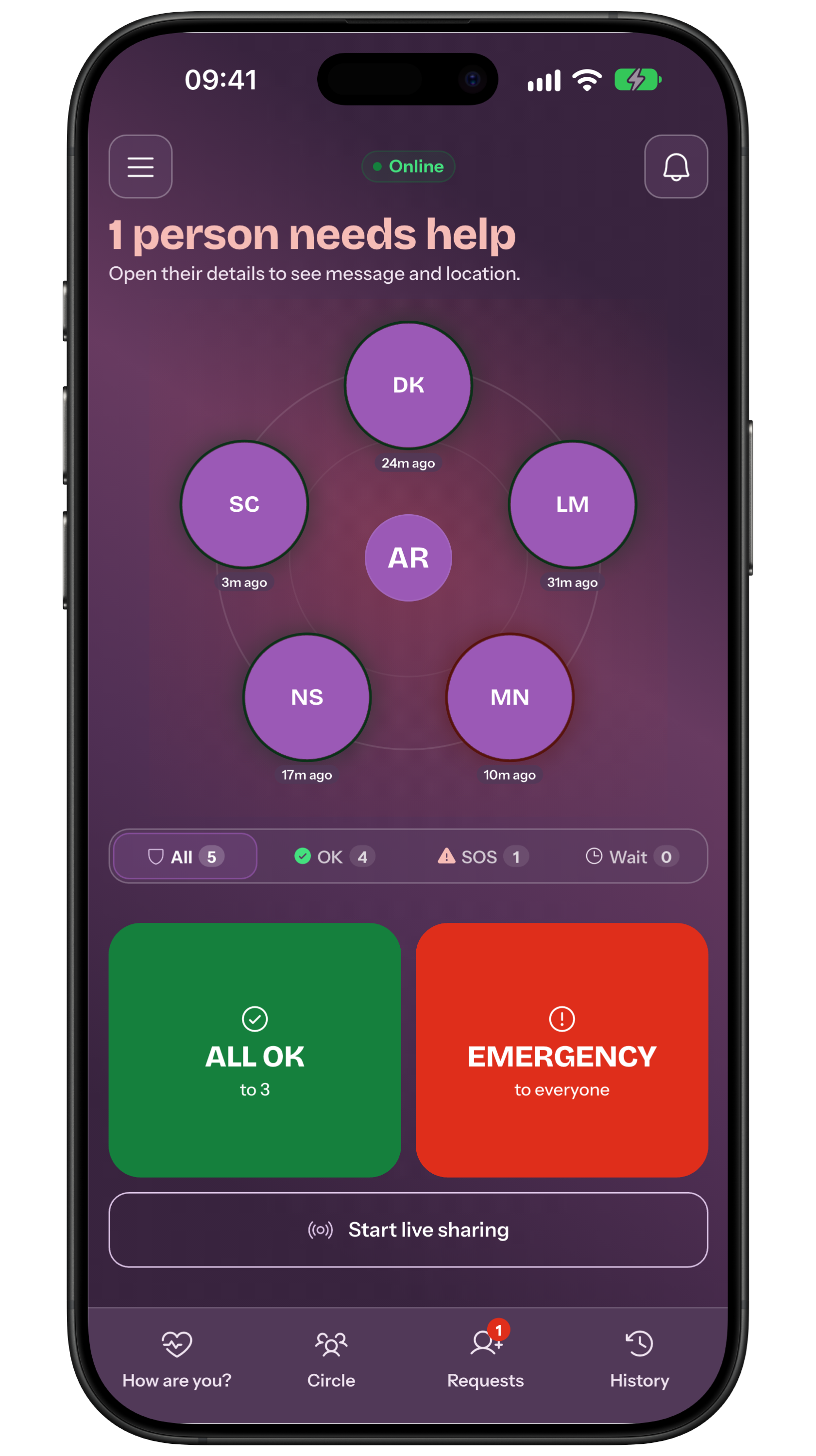
Agree what the check-in means
Before discussing iPhone or Android, agree the operational phrase. A check-in might mean I arrived, I am OK or please call me, but its meaning must not change from one person to another.
In My Safe Circle, All OK is sent manually to selected contacts. It is not automatic proof of arrival and does not follow a journey. A message can add context, while location remains a choice for that action.
Write down who sends, the time window and who checks first. For a respectful agreement, compare it with the trusted-contact agreement guide without turning it into surveillance.
Prepare people, contacts and the Premium plan
Each person needs the app installed, a working account and consistent approved contacts. Test the route with real names and clarify who receives All OK and who may reply or call back.
The manual states that creating a How are you? request and saved recipient groups requires Premium, while replying as a contact remains free. Check the badge and plan shown on the device before setting up the route.
If Premium expires, do not assume a new request or saved group will continue to work. Keep a primary contact and backup, and maintain a call or message as an independent route.
Account for the two system differences
On iPhone, notifications can depend on immediate delivery, summaries, Focus, sounds and lock state. On Android, notification channels, Do Not Disturb, battery controls, manufacturer and launcher matter. A visible alert on one phone does not prove the same outcome on the other.
Set up each person’s own device rather than distributing universal tap instructions. Check permissions, sound, vibration, network and battery, and note where the signal actually appears: banner, Notification Centre or history.
If you use a Home widget, its placement can differ between iOS and Android. It opens the app and confirmation; it does not bypass lock, Focus or Do Not Disturb. The manual explains widget behaviour while the system controls presentation.
Agree a window, responder and backup
A realistic window prevents every quiet minute becoming an alarm. Consider travel, work, classes, noise, battery and dead zones, then decide when the responder checks the second channel.
Name one person for the first check and a backup for escalation. The responder may call, send a message or ask for another All OK; silence is not automatic proof of danger.
Record the next step for three cases: check-in received, window passed without a reply, concrete danger sign. The first needs acknowledgement; the last requires direct contact with local services.
Run a test that includes both phones
Announce the test and do not use a real SOS. From iPhone and Android, send an agreed All OK, read the receipt and ask the recipient what they see and what they can do.
Repeat after changing one setting, such as Focus or battery saving. Test ordinary network and observe offline behaviour without expecting an automatic SMS. Restore the person’s preferred settings after the test.
A positive result belongs to that configuration and moment. It does not prove future delivery, reading, availability or action. If the signal fails, use the backup and improve the agreement rather than increasing pressure on the person.
State the check-in limits
My Safe Circle does not automatically detect that someone arrived, follow a route through a check-in or trigger SOS because time passed. The person chooses whether to send and what to share. The app does not document its own Lock Screen widget that sends instead of the person.
Without network, the app may keep SOS and All OK commands and try when the connection returns, within system limits. Until a final outcome appears, the group should not treat the signal as delivered. Calls, SMS and paper instructions remain useful.
Checklist: written meaning, agreed window, named primary and backup, approved recipients, Premium access checked, notifications tested on iPhone and Android, offline route discussed, local number known. For a no-camera routine, see the dedicated guide.
Temporary live sharing in 2.2
App Store lists 2.2.0 as released on 5 October 2026, checked on 9 October. Check your installed version and availability in your platform’s store.
An optional point attached to All OK, SOS or a reply remains separate from live sharing. Sending a signal does not automatically start a session: even after SOS, separate confirmation is required. Location proves neither health, arrival nor response.
Frequently asked questions
Does a check-in automatically confirm that someone arrived?
No. It is a manual, voluntary signal. It confirms only what the person chooses to send, not automatic arrival or location.
Does creating a check-in require Premium?
Creating a How are you? request or a saved recipient group requires Premium. Check the local badge and plan; replying to a request remains free.
Do iPhone and Android receive the same alert?
Not necessarily. System, model, notifications, Focus or Do Not Disturb, battery and network can change the route. Test both and keep a backup.
Sources consulted
Technical and safety information was checked against the following official sources.
- Apple: iPhone widgets and Home screen
- Android: widgets and Home screen
- My Safe Circle manual: check-ins
- My Safe Circle: features and limits
- My Safe Circle manual: 2.2 live sharing
- Official App Store listing
Guide from the My Safe Circle team, checked on 9 September 2026 against the app manual and official Apple and Android guides. Menu names and notification behaviour depend on version, model, language and settings.
COORDINATE WITHOUT CONSTANT CONTROL
A check-in needs an agreement.
Define the signal, timing, responsibility and backup across different phones.
Explore My Safe CircleA check-in is voluntary and does not automatically detect arrivals or danger. My Safe Circle cannot guarantee delivery, reading, reply or action, does not send automatic offline SMS and does not replace emergency services.