
Older person living alone: a daily check-in without cameras
An agreed contact can offer closeness and independence. The person chooses the routine, answers simply and knows the plan if the answer is missed.
Start with choice and consent
Ask whether the person wants daily contact, which question fits and who may receive the answer. The routine must be easy to pause or revoke.
Agree a realistic time and grace period for sleep, appointments, battery and interruptions: living alone does not remove the right to decide.
Separate a manual check-in from a recurring reminder
Sending a manual How are you? request and creating or activating a recurring reminder require Premium. Receiving the request and replying remain free according to the manual.
A recurring reminder is created and activated by a Premium member and must be approved by the recipient first. Replying and receiving alerts remain free according to the manual.
Keep message and location optional
The answer can be “I’m OK” or “I need help”. An extra message adds context; location is attached only when the person chooses it and gives explicit consent.
Explain recipients and purpose. A greeting needs no movement history or unwanted data.
A missed answer is not a diagnosis
Wait for the grace period, check other messages and call. A flat battery, appointment or weak network needs checking; do not infer an accident, illness or intention.
With concrete signs of immediate danger, call local services under local procedure; the app cannot interpret context.
Write a backup protocol
Decide who calls first, who is the backup and when to change channel. Keep numbers on paper and choose a call, SMS or nearby person according to coverage, accessibility and consent.
Tell everyone before a rehearsal: the second channel clarifies the next step rather than multiplying alerts.
Rehearse and review the routine
Simulate a manual request and recurring reminder: notification, answer, optional message or location, receipt and follow-up call. Practise a late answer without involving public services.
Ask what was clear. Review time, recipients and consent after a new phone, travel or routine change.
Set up a routine: a complete example
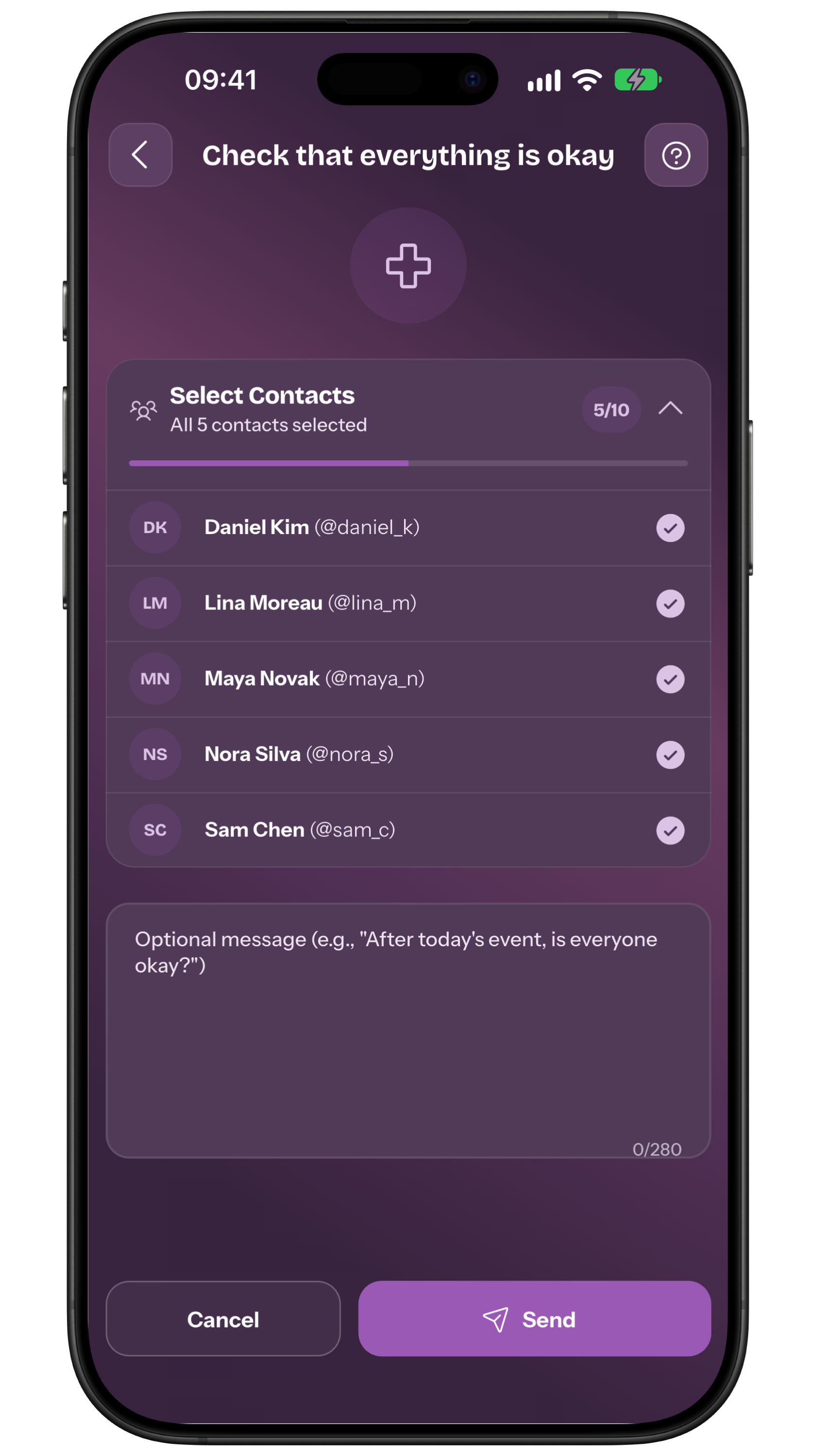
Adapt this example together: someone wants to reply each evening after dinner. Agree on days, time, response window and available contacts. Open Reminders, choose the person in your circle, set the recurrence and alert contacts, review the summary and send the proposal. The recipient sees who will receive alerts and must approve before activation.
Practise with everyone informed: the person receives the request and replies, then you check the outcome. Decide who calls after a request for help or no reply, which backup takes over and what evidence changes the urgency. A visit or empty battery is not a diagnosis. When the routine changes, the creator or recipient can manage the Reminder from its details under the permissions in the manual.
Frequently asked questions
Is a recurring reminder the same as a manual request?
No. A manual request starts immediately; a recurring reminder follows an approved schedule and requires Premium for its creator or activator.
Is location shared automatically?
No. It is optional and requires explicit consent in the answer; a greeting often needs no location.
What should we do when there is no answer?
Respect the grace period, check other channels and call according to the plan. It is not a diagnosis; with concrete danger, call local services.
Sources consulted
Technical and safety information was checked against the following official sources.
Editorial guide from My Safe Circle, checked on 8 September 2026. It describes features and limits for a shared choice, not continuous surveillance.
AN AGREED ROUTINE
Stay close without surveillance.
Choose the question, grace period and backup plan together.
Explore My Safe CircleMy Safe Circle supports communication with trusted people. It is not an emergency service, does not automatically detect incidents and cannot guarantee delivery, reading or action.