
Senior SOS apps: SOS button, check-in or emergency call? Differences and limits
“Safety” covers tools that do very different jobs. A button pressed by the person, an expected reply and a call to emergency services are not interchangeable. Matching each tool to the right question prevents false alarms and overconfidence in technology.
Start with the situation, not the product
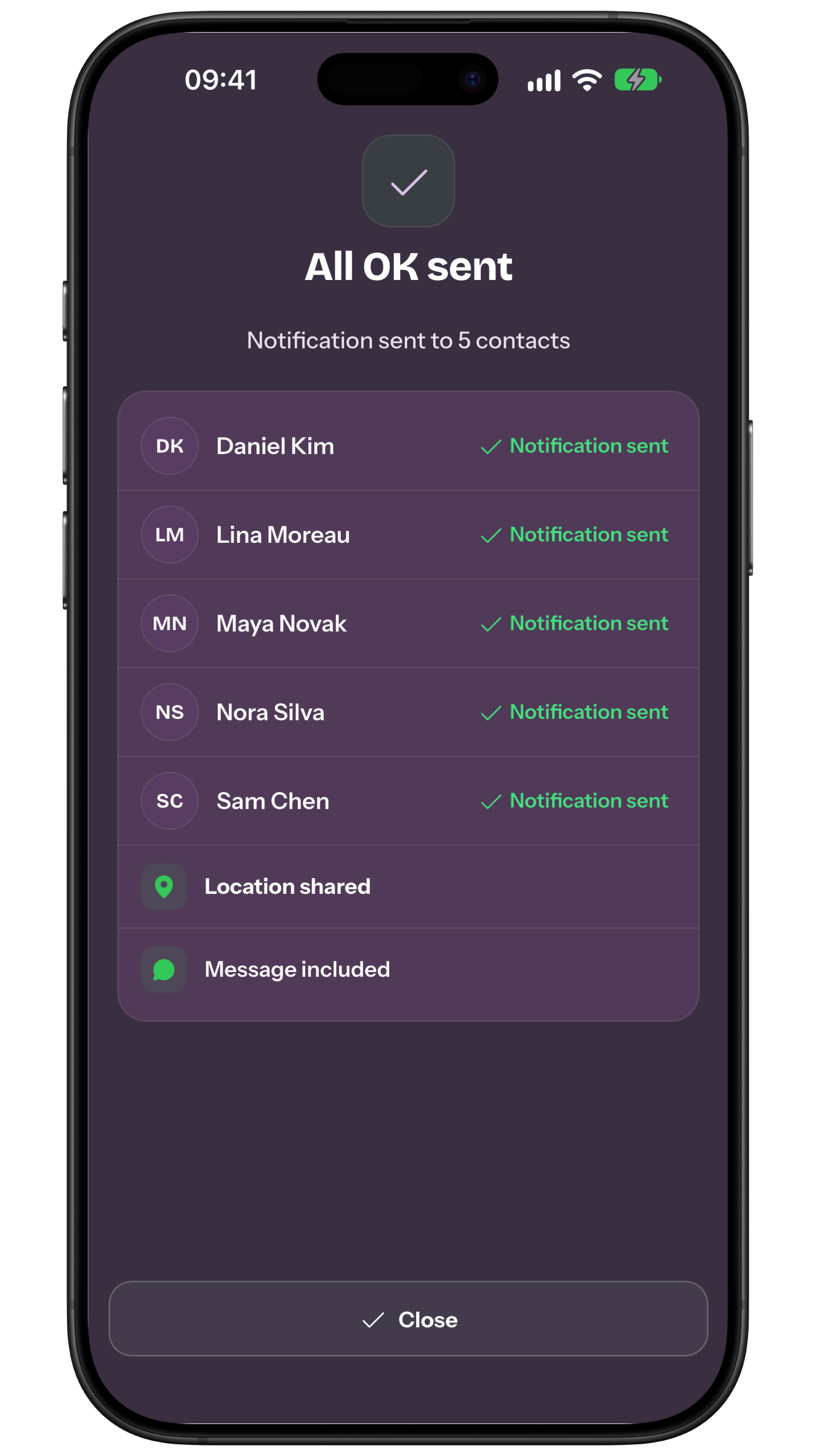
Picture the event you are planning for. A conscious person who wants to alert family or a neighbour needs a manual SOS. Someone who simply wants to reassure others can send ALL OK. A relative who wants to ask “how are you?” once or on a schedule needs a check-in. Immediate danger, serious injury or a need for public rescue calls for the local emergency number. To compare this step with a related case, see Phone setup for older adults before using a safety app.
WHO describes later life as highly diverse and lists falls among important conditions in older age. That supports a personal plan: an accessible home, a usable phone, reachable contacts and a backup. It does not mean an app or sensor can recognise every fall, faint or medical event.
- Manual SOS The person intentionally asks selected contacts for help.
- ALL OK The person voluntarily reassures their circle.
- How are you? and Reminder Someone sends a question and waits for a simple answer.
- 112 or local number It reaches public emergency services when urgent help is needed.
SOS and ALL OK are opposite signals from Home
In My Safe Circle, SOS tells chosen emergency contacts that the user needs help. Sending requires explicit confirmation and a countdown. It can include a message and, only when available and authorised, a location. The button cannot diagnose what happened and cannot be pressed if the person is unconscious, cannot reach the phone, has no battery or has no network.
ALL OK does the reverse: it is a voluntary signal that the person is safe. It is not an answer to a question and does not summon emergency services. Both core actions remain available to free users. A send receipt clarifies technical status, but no family notification guarantees delivery, reading or a response.
A manual How are you? and a recurring Reminder are different
The manual How are you? is a one-off request. A Premium creator sends it to one or more already approved contacts; fresh approval is not required for each send. Recipients answer for free. A Reminder is a recurring routine: a Premium creator selects the person, times, response window and people to notify, but nothing is scheduled until that specific person expressly approves the routine.
The response screen prioritises two large buttons: “I'm OK” and “I need help”. That simple choice can work well for people who are not comfortable with smartphones, provided the family rehearses it together. Location is optional and needs explicit consent. No reply is a cue to check, not proof of an accident: sleep, silent mode, battery and network can all interrupt the path.
- Agree on a realistic time and margin.
- Prepare a second channel: call, text, neighbour or visit.
- Explain who receives alerts and what they will do.
- Practise both large response buttons and notification volume.
Emergency calls: when the right recipient is a public service
For immediate danger, serious injury, breathing difficulty or another situation requiring urgent intervention, call the local emergency number. In the European Union, 112 is the common free number, although national services and additional numbers vary. State the location, what happened and the help needed, then follow the operator’s instructions. The same operational plan is developed further in Older person living alone: how to organise a daily check-in without cameras.
iPhone and Android include emergency features with requirements that vary by model, software version, country, network and setup. Read the manufacturer’s documentation to learn which number is called and which data may be shared. My Safe Circle can open the dialler after confirmation; it does not automatically complete a 112 call and does not replace an emergency operator.
Wearables and fall detection: another layer, not certainty
A smartwatch or dedicated device may help when the phone is often elsewhere, a wrist control is easier to reach, or a manufacturer’s fall-detection feature suits the situation. It may still miss an event, misread movement, be charging or lose coverage at the wrong time. “Fall detection” never means detection of every illness or loss of consciousness.
Before buying, check who receives the alert, whether a call starts, whether confirmation is requested, which countries are supported and which subscriptions, permissions or companion phones are required. Test real battery life, indoor coverage and whether the person will wear it consistently. Read the conditions for the exact device rather than relying on a broad advertising claim.
| Tool | Strength | Limit |
|---|---|---|
| Manual SOS | Intentional request | Needs a gesture and reachable contacts |
| ALL OK | Voluntary reassurance | Does not check the situation |
| Check-in | Simple question and routine | Silence has many causes |
| Emergency dialler | Public response | The call must be completed |
| Wearable | Wrist access and sensors | Battery, coverage and errors |
The family plan matters more than the feature list
Write a short sheet with the address, approved contacts, essential information, agreed times, backup channel and criteria for calling emergency services. Let the older person choose what is shared and with whom. Safety loses value when it becomes unwanted surveillance; a sound plan preserves autonomy, consent and the right to change one’s mind.
At a calm time, test text size, sound, battery, network, permissions and the necessary gesture. Repeat after a change of phone, number, address or contact. My Safe Circle supports communication between trusted people, but it is neither a medical device nor an emergency service: it does not automatically detect falls or illness, call 112, or guarantee that a message is delivered, read or followed by help. Before testing, check the features described on the website.
- 1. Define the purpose Reassurance, asking for help and public rescue are different needs.
- 2. Assign roles Name a first contact and a backup.
- 3. Rehearse safely Check the path without contacting public services.
- 4. Update it Numbers, health, habits and technology change.
Frequently asked questions
Does an SOS app automatically call 112?
Not necessarily. My Safe Circle asks for confirmation and opens the dialler, but does not complete the call automatically. Phone SOS behaviour depends on model, system, country, network and settings.
Does a missed check-in mean there is an emergency?
No. Follow the agreed verification plan: battery, network, sleep or silent notifications can cause a delay. If there are concrete signs of danger, call the local number immediately.
Does a wearable detect every fall or medical event?
No. Events can be missed and false alerts can occur. Check the manufacturer’s conditions, charge, coverage and alert recipients.
Sources consulted
Technical and safety information was checked against the following official sources.
- WHO: Ageing and health
- WHO: Falls
- European Union: 112 emergency number
- Apple: Use Emergency SOS on iPhone
- Apple: Safety features
- Google Android: Get help during an emergency
Editorial disclosure: this comparison is published by the team behind My Safe Circle and includes alternatives. Features depend on country, device, network, permissions and settings.
A PLAN WITH REAL PEOPLE
Choose the tool that answers the right question.
Agree who responds, which channel to use and when to call emergency services.
Discover My Safe CircleMy Safe Circle supports communication between trusted people. It is not an emergency service or medical device, does not automatically detect falls or illness or call 112, and cannot guarantee delivery, reading or intervention.