
Life360 or My Safe Circle: location and check-ins compared
Before choosing an alternative to Life360, identify the feature you want to keep. Viewing a recent location and asking “How are you?” provide different information.
Start with the question
An optional point attached to All OK, SOS or a reply remains separate from live sharing. Sending a signal does not automatically start a session: even after SOS, separate confirmation is required. Location proves neither health, arrival nor response. 2.2 allows voluntary temporary live sharing, separate from the signal’s attached point, without continuous route history.
Life360 also offers manual check-ins
Life360 documents a Check In that notifies a Circle of a nearby or selected location. It also documents location-sharing controls. A simple contrast between automatic tracking and check-ins would therefore be misleading. Identify the exact action and the information the recipient receives.
What My Safe Circle communicates
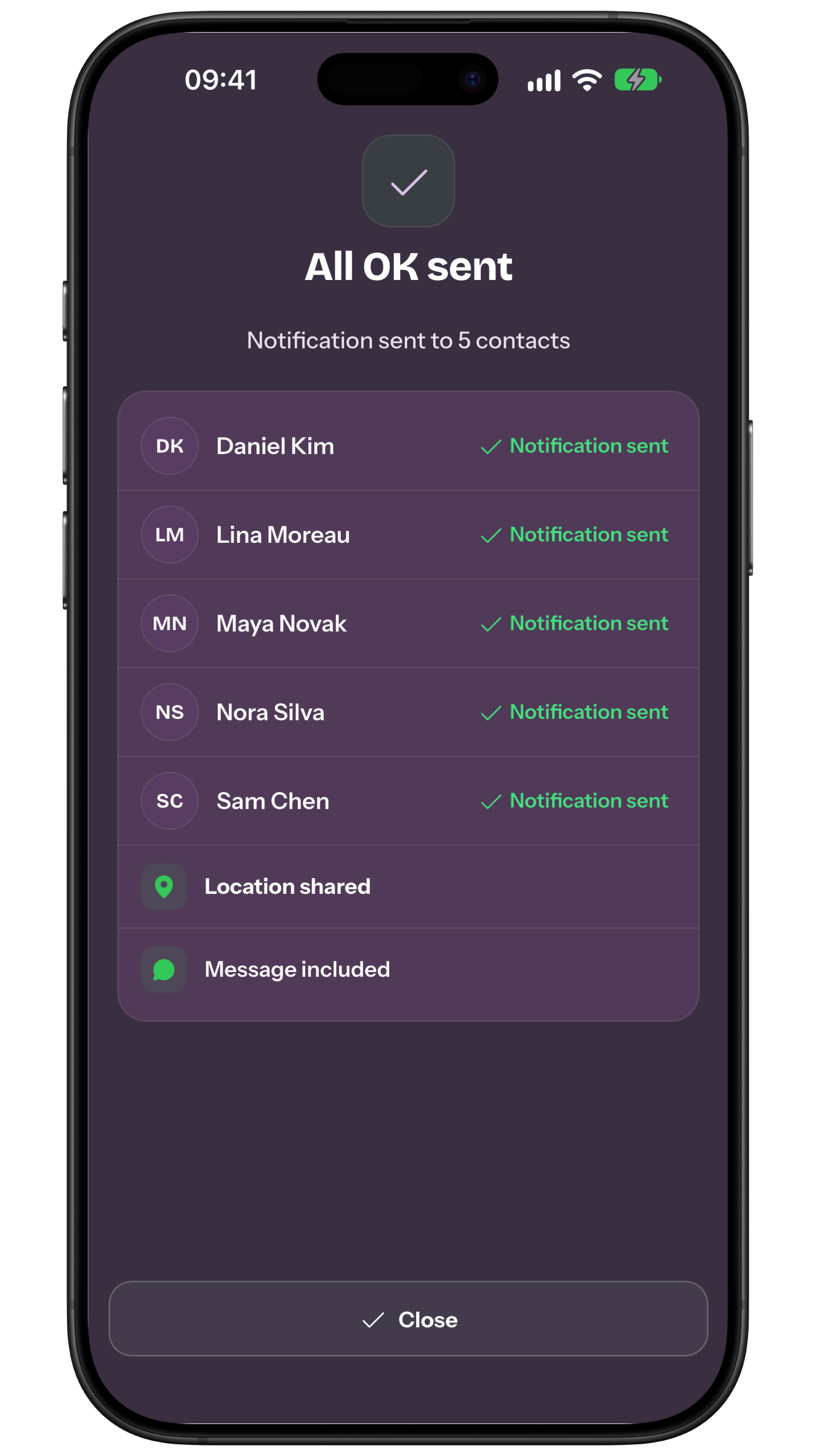
SOS and All OK send manual signals, with optional message and location. How are you? asks for an explicit reply; Reminders schedule requests after the invitee approves. They do not automatically detect arrivals, detours or accidents. A receipt describes the sending outcome, not guaranteed reading.
| Criterion | Life360 | My Safe Circle |
|---|---|---|
| Location | Sharing with dedicated controls | Optional signal point; temporary live in 2.2 |
| Check-in | Notifies the Circle of a location | Manual All OK or reply to How are you? |
Compare information and control
Stop ends updates but does not withdraw account retention consent. With consent, the latest data may remain until withdrawal, contact removal or account deletion; without retention, the session is accessible for at most 7 days after ending. Independent screenshots cannot be remotely erased.
Check devices, recipients and cost
Check actual compatibility and prices in each store before inviting everyone. My Safe Circle contacts need the app, an account and approved connections. Creating How are you? requests and creating or reactivating Reminders requires Premium; replying remains free. Make the distinction between free and paid features explicit.
Choose using three real tasks
Make three rows: view a journey, confirm arrival, request an evening reply. Record feature, received data, consent, cost and what happens if nobody responds. You may drop the map to share less information, but a manual All OK cannot detect failure to depart. Practise only the tasks you need with informed participants.
Temporary live sharing in 2.2
App Store lists 2.2.0 as released on 5 October 2026, checked on 9 October. Check your installed version and availability in your platform’s store.
Frequently asked questions
Does Life360 have a check-in?
Yes. Its official guide describes a check-in that shares a location with the Circle.
How does location change in My Safe Circle 2.2?
App Store lists 2.2.0 as released on 5 October 2026, checked on 9 October. Check your installed version and availability in your platform’s store.
Which suits a parent?
Choose together based on the information they want to share and can provide, and agree who follows up.
Sources consulted
Technical and safety information was checked against the following official sources.
- Life360: Check In With My Circle
- Life360: Share My Location
- My Safe Circle: Manual
- My Safe Circle manual: 2.2 live sharing
- Official App Store listing
Comparison by the My Safe Circle team using the listed official sources, consulted on 13 September 2026. This is not a hands-on comparative test.
Try before choosing
Explore My Safe Circle
Explore the features and try the Demo before setting up your circle.
Explore My Safe CircleMy Safe Circle helps contact trusted people. It is not an emergency dispatch centre and cannot guarantee delivery, reading or intervention.