
My Safe Circle 2.1: wrist signals and notification replies
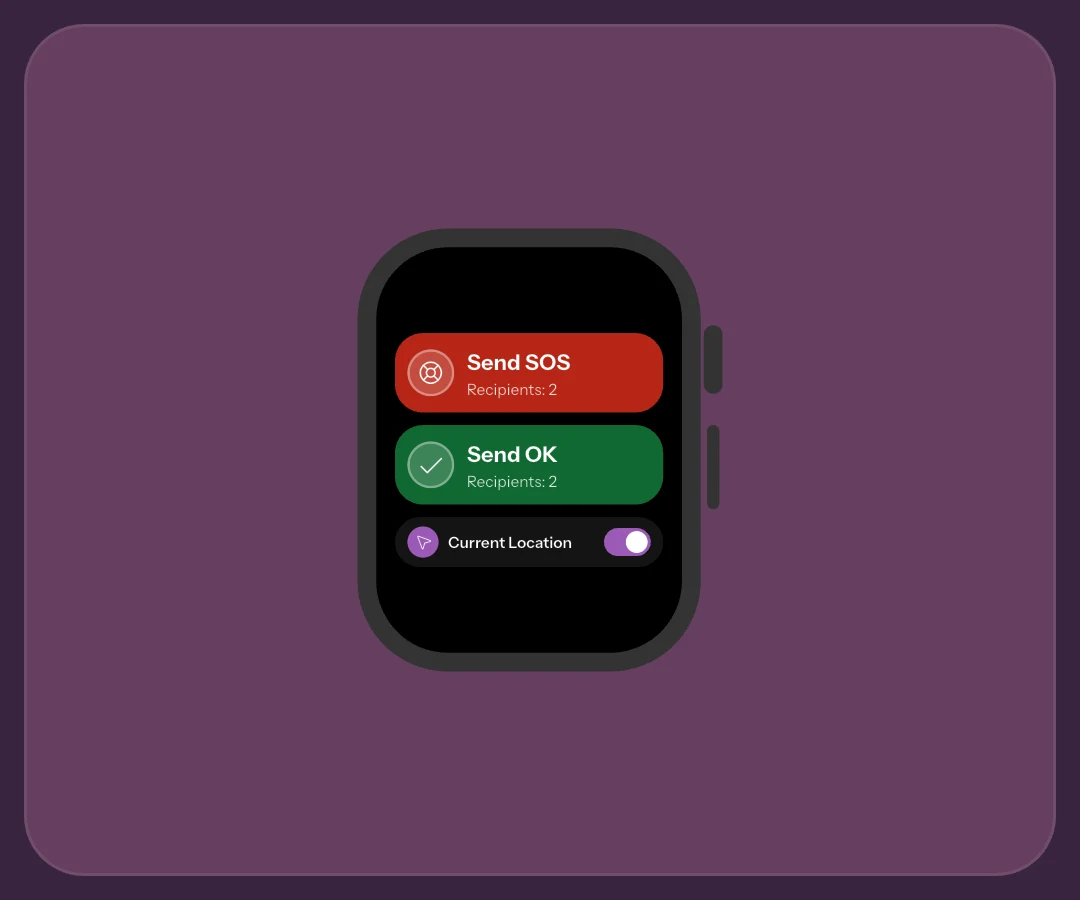
Version 2.1 brings some safety actions beyond the iPhone’s main screen. Apple Watch can send SOS and All OK, while notification actions help answer How are you? with fewer steps. This is an iOS update, not an Android smartwatch app.
Link the devices before sending
Pair Watch and iPhone, install My Safe Circle on the watch and sign in on the iPhone app. The watch needs no second login. Configure SOS and All OK recipients before testing: a wrist app does not automatically create a network of people ready to help.
When Watch asks for the iPhone app
If the watch asks you to open the iPhone app, do so to reconnect. Signing out on iPhone also disconnects Watch. See the wrist-action setup guide for the complete route.
A quick gesture with time to cancel
SOS and All OK start cancellable countdowns: five seconds for SOS and three for All OK. Tap before the end to stop the attempt. A watch-face complication opens that countdown too; it is not an automatic call to emergency services.
Watch uses prepared recipients. Its location switch initially copies iPhone’s choice and then operates independently. A signal may go without coordinates if unavailable; custom text is managed on iPhone. Practise with an announced All OK rather than startling contacts with SOS.
No nearby iPhone does not mean no internet
Watch can send through Wi-Fi or cellular connectivity when model, plan and coverage permit. A GPS watch can use available Wi-Fi; mobile connectivity needs an appropriate model and service. Initial account linking is still required.
What to do without connectivity
Without connectivity, Watch sending does not start. Check the outcome, retry when connected or use iPhone and your agreed backup channel. The away-from-iPhone guide explains these cases without promising universal coverage or battery life.
Answer How are you? from the notification
Compatible notifications offer an answer without first finding the request in the app. A worn, unlocked Watch can answer How are you?, without adding text or location from that surface. This response is distinct from a new SOS.
Check enabled notifications and the options actually displayed before relying on the shortcut. Answering stays free; creating requests needs Premium. Open the request in the app for context and details. Notification settings still matter after the update.
Frequently asked questions
Does 2.1 add an Android smartwatch app?
No. This journey concerns iPhone and Apple Watch. Cross-platform contacts in other features do not imply support for every watch.
Must iPhone stay next to Watch?
Not when Watch has suitable connectivity. Without a network it cannot send. Check model, coverage and account linking before testing.
Does Watch always use iPhone’s location choice?
Its switch initially copies iPhone, then works independently. Check Watch before sending; unavailable coordinates may mean a signal without location.
Sources consulted
Technical and safety information was checked against the following official sources.
Guide by the My Safe Circle team, written from the app manual and checked on October 9, 2026 against the listed sources.
VERSION 2.1 · IPHONE AND APPLE WATCH
Prepare Watch with your circle
Set recipients and connectivity and agree on a test before using shortcuts.
Explore My Safe CircleMy Safe Circle helps contact trusted people. It is not an emergency dispatch centre and cannot guarantee delivery, reading or intervention. For immediate danger, call your local emergency number.