
iPhone notifications not arriving: permissions, sound and Focus
An alert may be allowed yet silent, visible only in Notification Centre, delayed by Focus or unable to use mobile data. This audit follows the layers Apple documents and tests them on the actual phone. Names and paths may vary with iOS version, model, language and settings.
The first check on iPhone
Open Settings > Notifications > My Safe Circle. Check Allow Notifications and alert destinations such as Lock Screen, Notification Centre and banners. Check Sounds, then Focus rules and any Scheduled Summary. Available options depend on the iOS version.
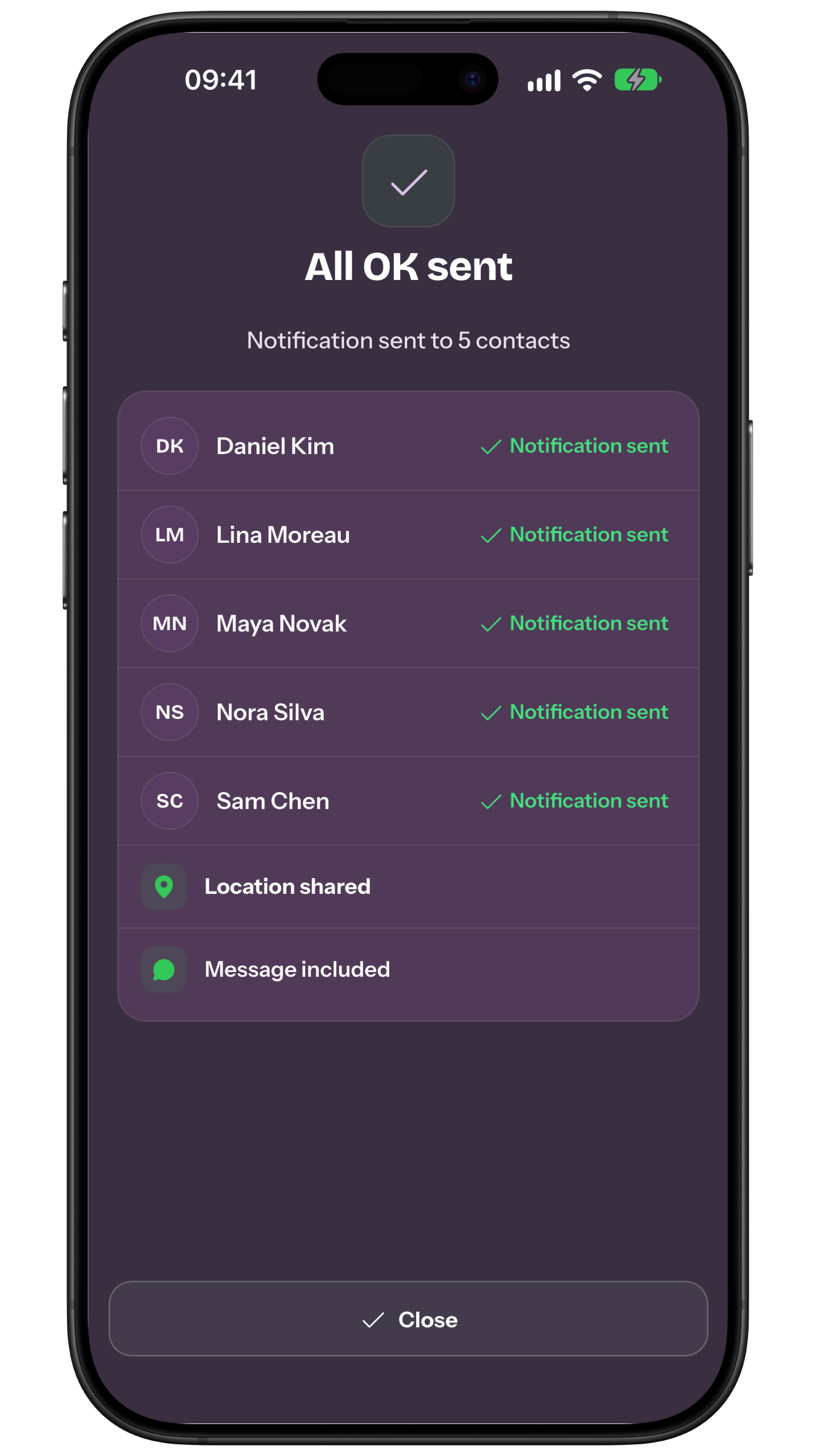
If an update is in Inbox but no banner appears, investigate presentation on the recipient’s phone. If the sender still sees pending delivery, start with their network and receipt. A silent banner does not mean sending failed. The figure shows an app receipt, not iOS settings. SOS alerts can override silent mode and Focus only if Critical Alerts are on for the recipient’s phone: check them and arrange an announced test.
Critical Alerts: SOS even on silent
In the current version of the app, SOS and SOS responses to a check-in are critical alerts: they sound even when the iPhone is silenced, in Do Not Disturb or in any Focus. The recipient’s phone needs two separate permissions: Allow Notifications and Critical Alerts, in Settings > Notifications > My Safe Circle.
Other urgent notifications, such as “How are you?” requests that ask for help, remain standard Time Sensitive notifications: to let them through, turn on Time Sensitive Notifications in Settings > Focus > mode > Apps, for every mode you use. All the steps are in the guide to Critical Alerts on iPhone.
A technical check is not a guarantee
Settings improve the chance that an alert is presented as intended. They do not prove server receipt, device delivery or human attention. Keep sent, delivered, displayed, read and acknowledged distinct.
1. Permission, placement and delivery
In Settings > Notifications > app, check Allow Notifications, immediate or scheduled delivery, Lock Screen, Notification Centre and banners. Choose previews with privacy in mind. Available options may vary.
2. Sound, volume and haptics
Check the app sound, then Settings > Sounds & Haptics: ringtone and alert volume, Silent mode and haptic behaviour. Loud volume does not override Focus, and vibration does not prove the phone is nearby.
3. Focus and filters
In Settings > Focus, open the profiles actually used, including Sleep and Do Not Disturb. Check people, apps, schedules and sharing across devices. Rules and features depend on configuration and version.
4. Data, signal and battery
In Settings > Cellular, check that the app may use mobile data. Also inspect Wi‑Fi, coverage and charge. Low Power and Adaptive Power can limit background activity; do not infer that either caused one delay without evidence.
5. Announced test and family rule
Run an agreed test in ordinary conditions and the Focus profiles actually used. The recipient confirms what they saw and heard; the family names an owner and second channel. Do not send false SOS signals. Concrete example: “Notification fatigue” can describe saturation, irritation or inattention, but does not diagnose a cause. Someone may be driving, asleep, offline, out of battery, have muted a chat or not know who should act.
When the tool is not enough: Risk may increase when rare signals look like ordinary updates, but percentages require studies of the same audience, device and task. Observe where an alert appears, how long it remains and what action follows.
Limit to make visible: On iPhone, people can choose immediate delivery or Scheduled Summary, Lock Screen, Notification Centre, banners, previews and sounds; Focus may delay alerts. Android modes such as Do Not Disturb and Bedtime apply filters, with steps varying by version and manufacturer.
Agreed fallback: An app can request permission, provide supported categories and explain settings. It cannot promise to override the system or the person. Exceptions may change with modes, updates, battery controls, permissions or device.
Consent and preferences: Muted groups still receive messages but may not produce the expected sound or display. Mentions and priority depend on the platform; writing “urgent” does not itself change system behaviour. On iPhone, option names, paths, and behaviour may vary by version, model, and configuration; a successful test cannot guarantee later delivery or reading.
- iOS and app updated under your policy?
- Allow Notifications on?
- Lock Screen, Centre and banners selected?
- Immediate delivery or summary checked?
- Sound, volume and haptics tested?
- Focus, Sleep and Do Not Disturb checked?
- Mobile data, Wi‑Fi, signal and battery checked?
- Announced test, owner and backup agreed?
My Safe Circle uses networks, remote services and system notifications. On iPhone, SOS alerts can sound through silent mode and Focus only if the recipient has allowed Critical Alerts; the app does not detect danger automatically or guarantee delivery, reading or action. For immediate danger use local emergency services directly.
Frequently asked questions
Is Allow Notifications enough?
No. Also check delivery, visual surfaces, sound, haptics, Focus, network and battery.
Can I guarantee sound through Focus?
Not absolutely. SOS alerts break through Focus if the recipient has allowed Critical Alerts, but signal and battery are still needed; other notifications depend on the profile and Time Sensitive settings. Test on the real phone.
Does one read test guarantee future alerts?
No. It proves only that test in those conditions. Retest after material changes and keep backup.
Sources consulted
Technical and safety information was checked against the following official sources.
- Apple: notification settings
- Apple: sounds and haptics
- Apple: set up Focus
- Apple: cellular data for apps
- Apple: power modes
- Apple: battery use and life
- My Safe Circle: features and limits
Guide by the My Safe Circle team. Apple Support paths checked on 5 September 2026; no setup is claimed to guarantee delivery, reading or action.
OPEN SETTINGS, THEN TEST
Check the iPhone with the person receiving alerts.
Verify every layer and agree a human backup.
Explore My Safe CircleMenu names may vary. This guide does not guarantee availability, delivery, reading or action and does not replace Apple support or emergency services.